Train your 2nd Brain on the hoof.
NoteSweep seamlessly holds your notes in Markdown, the language of AI. Great looking notes on your iPhone and iPad, read directly from your OneDrive, SharePoint, Dropbox, iCloud or Google Drive, and kept in sync. Make the switch from OneNote or Evernote without the compromise.
Record the meeting. Keep the notes.
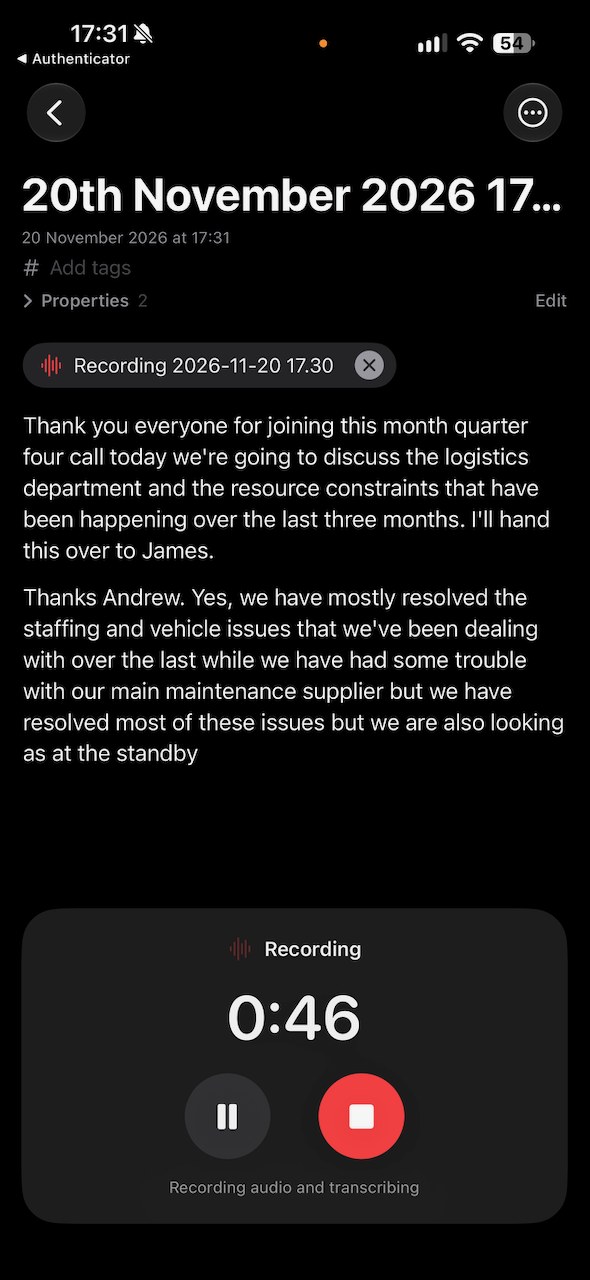
Tap the red microphone and NoteSweep types out what's said as people talk, straight into a page. A clear panel at the bottom shows the clock, with Pause and Stop. Put the phone on the table and get on with the meeting: it keeps going with the screen locked, through a long meeting, and picks up again after a call.
- Every word, as it's said. A new paragraph each time there's a pause, ready to read back or tidy up afterwards
- The audio is kept too. Saved beside the notes, with a tap to play it back
- Named for you. Each recording is dated, and Apple Intelligence can suggest a title from what was said
- Into any page. Start a new meeting page from a Library's home card, or add a recording to a page you already have
- Ready for your AI. The notes are plain Markdown in your own storage, so your AI assistant can summarise them and pull out the actions
Live transcription
Words appear on the page while people are still talking.
Runs when locked
Lock the phone and it keeps recording until you stop it.
Audio kept
An audio file sits with the notes, in the folder you choose.
On your iPhone
Speech is turned into text on the iPhone where the language allows.
Your library, in your pocket
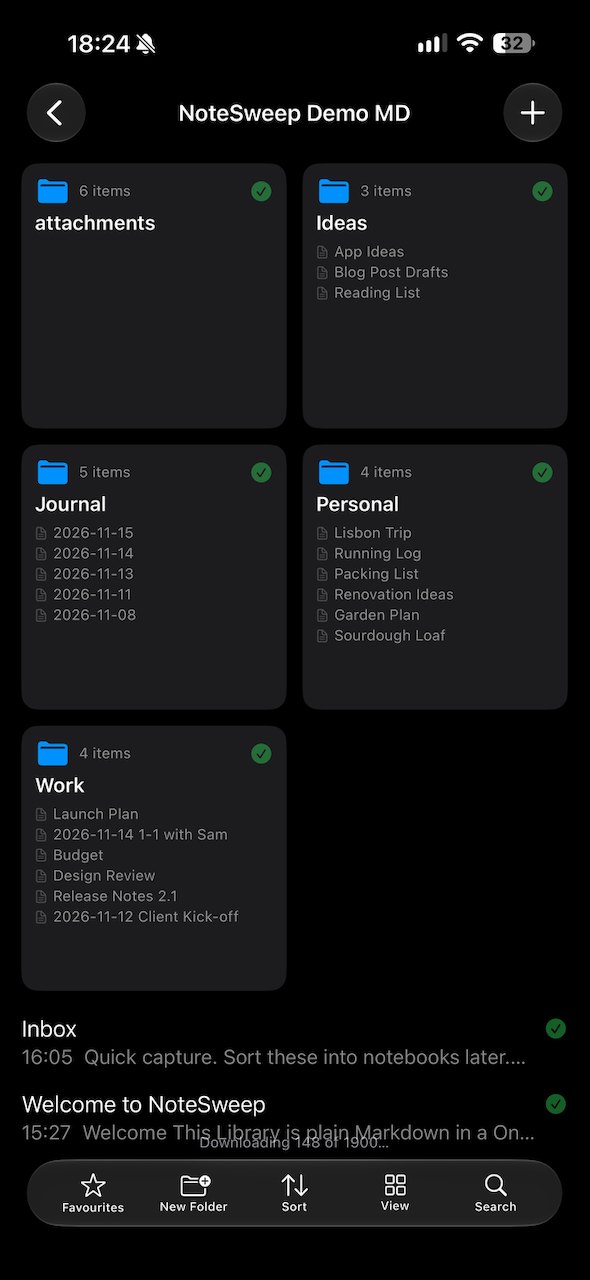
NoteSweep shows your notes folder as notebooks and pages, and saves your changes back to the same files.
Great looking notes
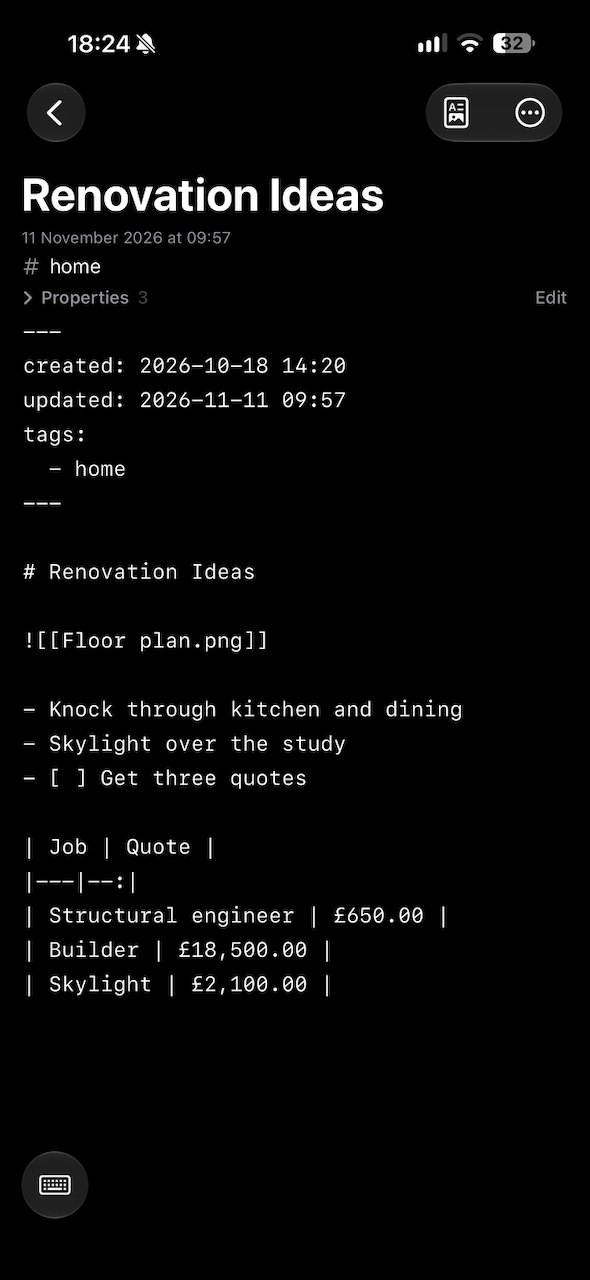
Headings, checklists, tables, pictures, highlights and links all look the way they should. Tap a link to jump to the page, or a checkbox to tick it off.
Your notesNotebooks, sections, pages
Your folders become notebooks and sections, with recent and favourite pages a tap away. See them as a list or as tiles.
Browsing your notesOpen and type
Pages open ready to edit and already look finished. Checklists tick, tables and pictures sit in the page, and everything saves as you type.
Reading and editingAttachments
Add photos and files, or share anything to NoteSweep. Draw on a picture to circle what matters, copy the text out of it, and keep the original untouched.
AttachmentsOffline edits
Edit with no signal. Changes are saved on the device and sync when you're back online.
How sync worksNothing overwritten
If a page was changed in two places, NoteSweep keeps both versions, so nothing is lost.
ConflictsYour AI second brain
A second brain is a trusted place for everything worth remembering: ideas, meeting notes, plans and what you've learned. Keep it in Markdown and it's plain text you own, that opens in any app and that AI assistants can read and write with ease.
Why Markdown, and what's a second brain?Yours for good
Plain files in your own storage, never locked in an app.
Ready for AI
AI can answer questions from your notes and write new ones.
Point it at the folder you already use
There's nothing to import. NoteSweep opens your notes where they already are, and anything you change opens just as well on your computer.
Works with your other appsAdd an account
Choose where your notes are kept: iCloud Drive, OneDrive, SharePoint, Dropbox or Google Drive, and sign in.
Pick your library folder
Choose the folder your notes are in. NoteSweep tells you how many notes it found.
Browse, read and edit
Your notebooks appear straight away. Edit a page and the change syncs back to your storage.
Wherever your library lives
NoteSweep connects straight to the storage you already use. You can add more than one account, and more than one library in each.
Your notes never pass through us
NoteSweep connects straight to your own storage. There's no NoteSweep server, so your notes are only ever in your storage and on your device.
Read the privacy policyPlain files
Stop using NoteSweep and your notes are exactly where you left them.
Secure sign-in
Your sign-ins are kept safely on your device.
Plays well with others
Your notes still open in any other Markdown app.
Get NoteSweep for iPhone and iPad
Now on the App Store. It comes from Versatile-IT, the maker of TaskSweep.